Class Manager - Groups
Some organisations operate their services via a User Group, rather than directly themselves. Typically, a group would be booked into a room and the group would then conduct its business independently of the organisation itself. The activities of User Groups may then be monitored through the Class Manager room booking system and logged through the departmental reporting system - for those Western Australian organisations that attract government funding.
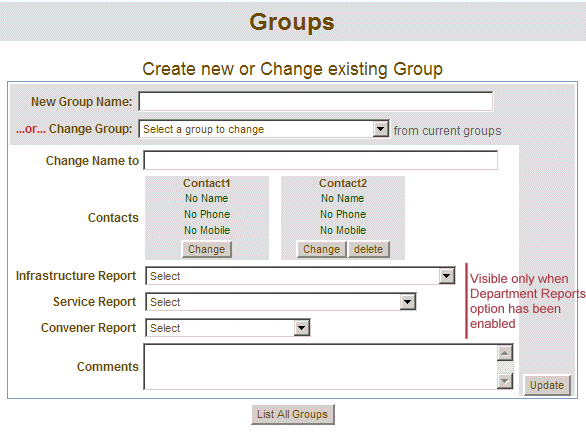
Those with the appropriate level of access can create new or change the details of existing groups.
Click the "Groups" link of the functions menus
Enter the new group name in the "New Group Name" text box.
Click the Contact1 "Change" button to enter the details of the first contact person.
Optionally repeat the above dot point to enter a second contact person.
Select the departmental reporting types, if they are visible.
Enter any comments.
Click the "Update" button to create the new group.
Your new group is then created. You can click the "List All Groups" button to display all existing groups.
Changing the details of an existing group
Select the group from the "Change Group" drop down menu.
The "Contacts", "Reporting" and the "Comments" fields will be populated with the selected group's value.
Alter the relevant fields.
Click the "Update" button to save the changes.
Click the "List All Groups" button
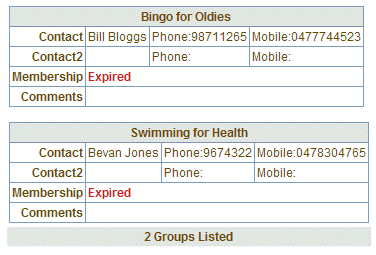
Groups can also have membership. To renew or create a new membership for a group, go the "Membership" link on the functions menu.